


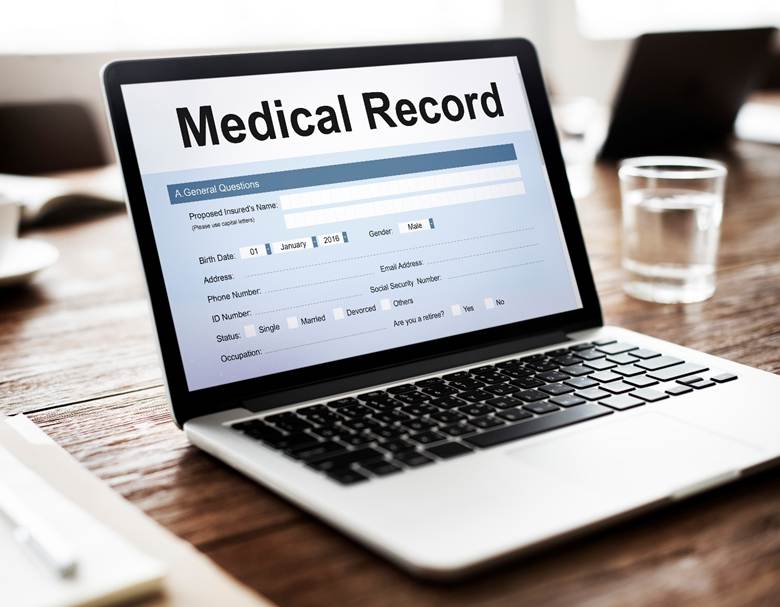
Switching from paper charts to cloud storage may feel daunting-particularly for those of you who have century-old file rooms, clipboards, and (locked) cabinets-but the good news is that modern cloud systems were created to protect your patients and your practice from the greatest risks available today. Moreover, many of the risks that keep you awake at night regarding paper records become significantly lower risk with the digital systems available today. You may want to consider transitioning to digital in stages so that you can learn the new system and technology. A reasonable place to start is with scheduling appointments and scanning of active charts.
Risks of Paper Records
Paper enables comfortable, but habitual vulnerabilities. Folders get misplaced, charts are left on counters, and bad luck like a leak or a fire will erase years of cumulative history. Even with the best office enforcement practices, documenting who accessed what record and when, is imperfect. As a result, audits can be painful to perform. Additionally, if something happens to an employee, you cannot physically lock a file cabinet in an instant.
For better understanding, you can visit this link at https://www.ehrinpractice.com/problem-with-paper-charting.html.
Before you decide to stay with paper because it feels “safer,” consider these risks:
- Theft or loss while being transported to other departments, other locations or off-site. The direct impact to patient privacy can be catastrophic.
- Accidental exposure when charts are unattended in exam rooms, at check-in, or under carts.
- No reliable backup when records are damaged by water, mold, fire, or pests.
- No way to track peeping by curious staff or visitors. No accountability for staff motivated to share records with friends or access records for fun.
- Long search and retrieval will delay your care and create barriers to compliance.
How Cloud Safeguards Patient Data
Cloud providers use layers of security no paper system can match. Data is protected at rest and in transit and remains available in the event of device failure or facility closure. Reputable providers also sign Business Associate Agreements (BAA) and provide independent audits to prove controls. Improvements include:
- Strong encryption that makes data impossible to read without the keys.
- Backups are provided regularly and occur automatically and will be saved in multiple physical locations that have gone through disaster recovery testing.
- Continuous monitoring, updating, and patching rather than just updating manually.
- Internal redundancy that protects against deletion and restores options.
- Centralized enforcement of user policies across all users and devices.
Access Control in Modern Systems

With today’s best EMR System, you control who sees what data and the software enforces those controls every time. Rather than a set of keys, or “please don’t open that folder”, you grant permissions based on job roles and identify your users at login. This allows you to limit exposure of data while remaining efficient as a clinician. You can also define session timeouts and device restrictions, which is an easy decision to mitigate risks in shared access accounts.
Role-based access control is to ensure front-desk staff can schedule patients without inadvertently being exposed to sensitive clinical notes. Clinicians can access patient information that is relevant to providing care. Multi-factor authentication (a code, an app, or a hardware token) adds an additional layer, while also reducing the risks associated with a stolen password. If a device gets lost, then you can revoke access and the account, and you can maintain your security without needed to reorganize your filing system.
What Happens if There’s a Breach?
No system has zero risk, but using the cloud means you will have an inherent playbook when something goes wrong. The cloud allows you to immediately see the breach or activity, contain it quickly and can prove your response to the breach because the platform has automatically recorded your detailed activity. With the logs consolidated, your response team can spend less time trying to find activity in countless systems and more time trying to resolve the issue.
When a cloud is operated effectively, incidents are managed in an orderly manner:
- Suspicious activity is identified quickly, and usually from automated alerts.
- Credentials are reset, and devices are revoked to minimize exposure.
- Forensics logs are kept for who accessed which record and when, in an orderly manner that can be used for accurate reporting.
- Supporting notifications to impacted patients and regulators, within the legal timeframes prescribed.
- After the event is over, the company hardens its security, updates policies, retrains and educates staff, and fixes technology to lessen the likelihood of a similar occurrence.
Why Digital Makes Audits Easier
Audits don’t have to take over your week. Digital systems allow you to search, filter, and export compliance proof within minutes. You always know who accessed files, for how long, and what was changed. Some EMR systems even generate dashboards that track PHI (see more here) access, expired consents, and overdue policies.
It becomes easier to trust with payment organizations and regulators, while closely monitoring operations internally day to day. Clear audit trails can also help if you maintain internal quality checks, such as renewal of consents and completion of orders.
Bottom Line
Paper-based records are not “safer by default”. The consistency of the security methods in the cloud can offer systems protection (through data encryption), precise scope of role-based access, and trustworthy disaster recovery. When you are ready to take the leap, you just need to ensure you select an alignment you the vendor to HIPAA, set policies that are not overly complex that your staff cannot follow, and you have both security and peace of mind.